
Eén platform voor je hele restaurant.
Reserveringen, online bestellen, keukenscherm en kassa — in je eigen huisstijl, op je eigen site, met één dashboard erachter.

“Gasten reserveren nu rechtstreeks via onze site. De widget past bij Mr Sam Sushi — geen generieke boekingspagina meer.”
Probeer live: Maison OlivierSora Bistro
Vier modules. Eén systeem.
Reserveren, bestellen, keuken en kassa draaien op dezelfde menukaart, dezelfde gasten en hetzelfde dashboard — elk abonnement bevat ze allemaal.
Reserveren
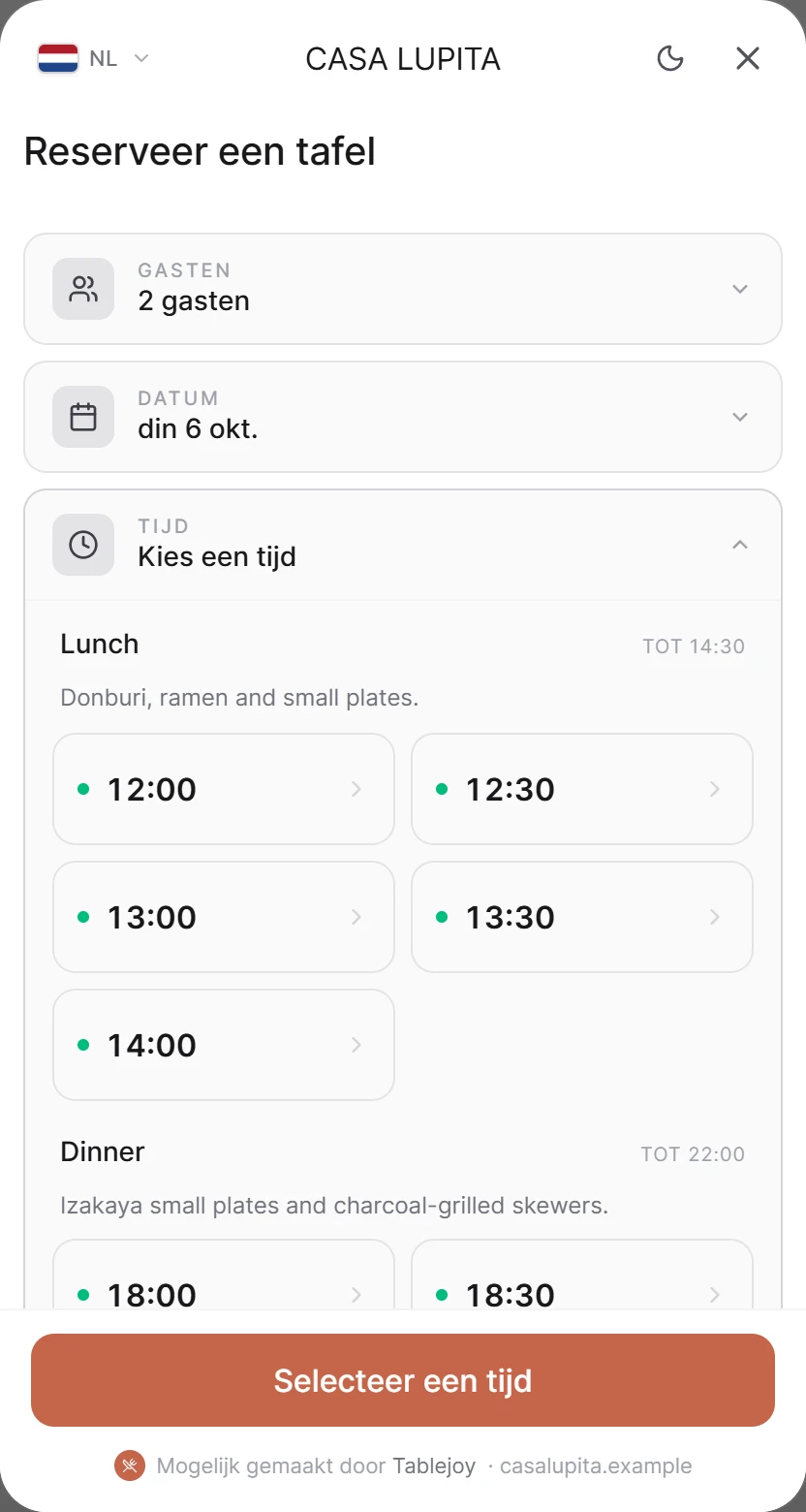
Een reserveringswidget in je eigen huisstijl, visuele plattegronden, wachtlijst, gastprofielen en aanbetalingen die no-shows verminderen.
- Reserveringswidget in je eigen huisstijl
- Visuele plattegrond en wachtlijst
- Aanbetalingen die no-shows verminderen
Gebouwd voor de manier waarop restaurants echt draaien.
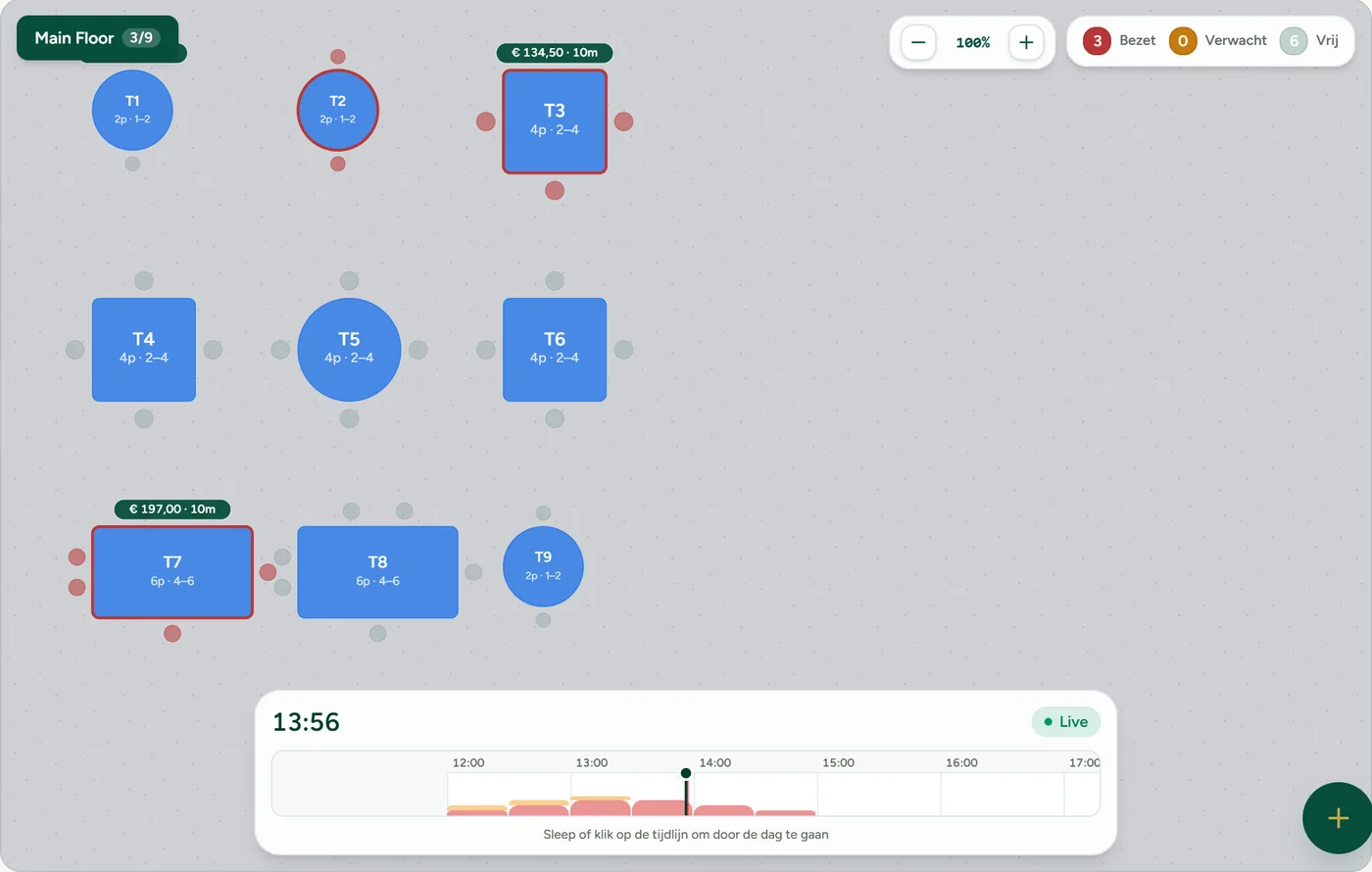
Tafel- & stoelplanbeheer
Visuele plattegronden met drag-and-drop tafels en stoel-voor-stoel plaatsing over meerdere zalen.
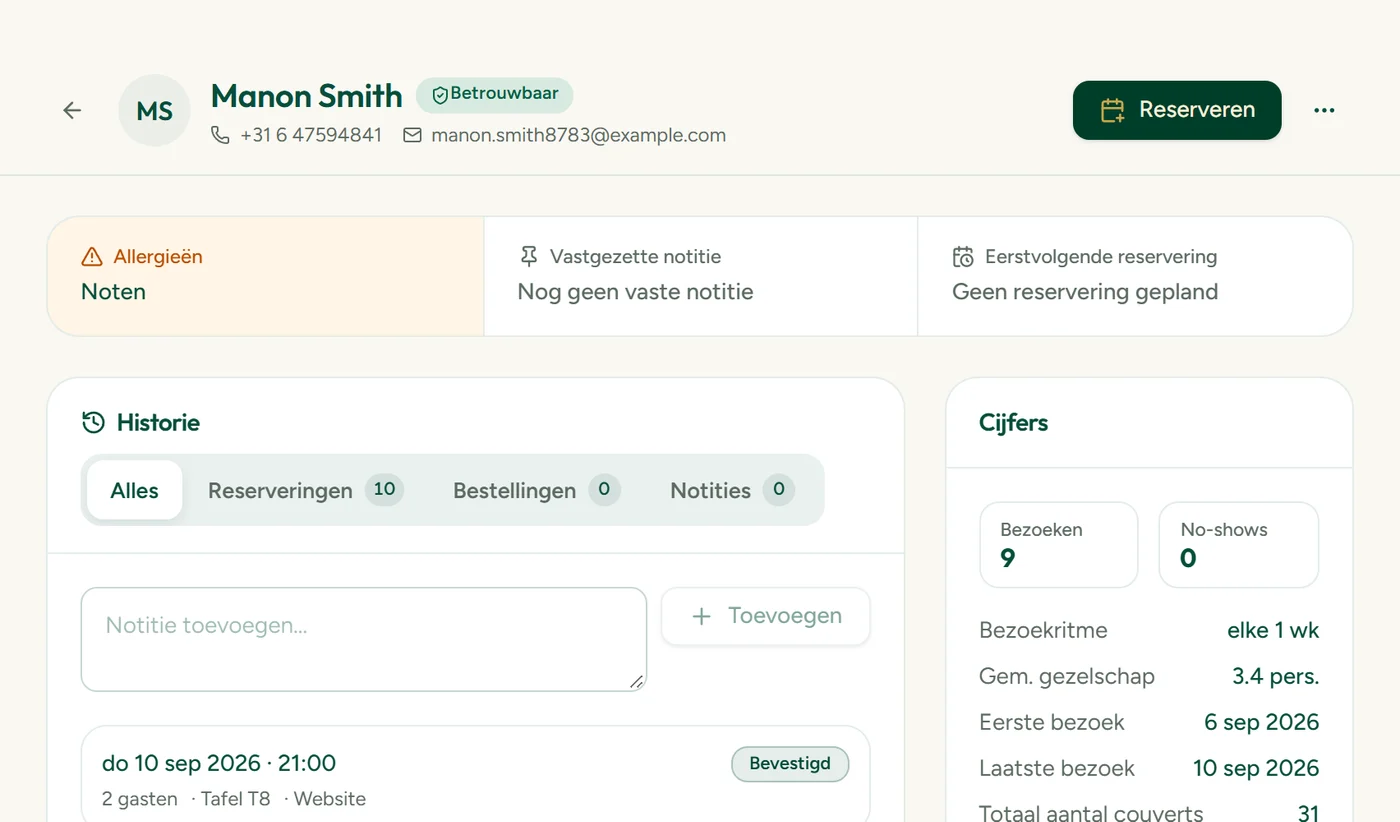
Gasten-CRM
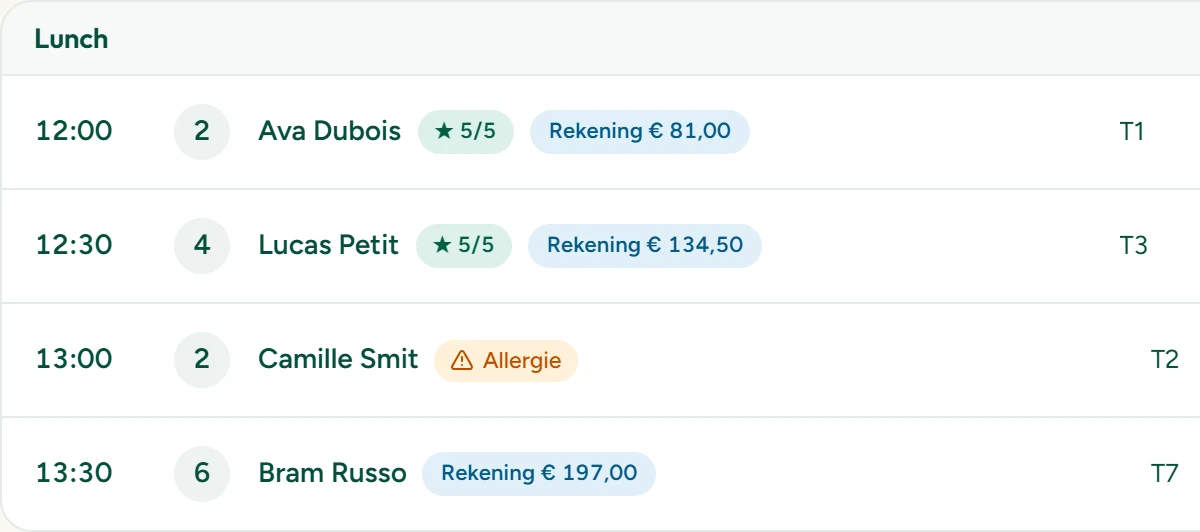
Elke boeking bouwt je gastendatabase. Notities, tags, allergieën, bezoekgeschiedenis en vaste gasten in één oogopslag.
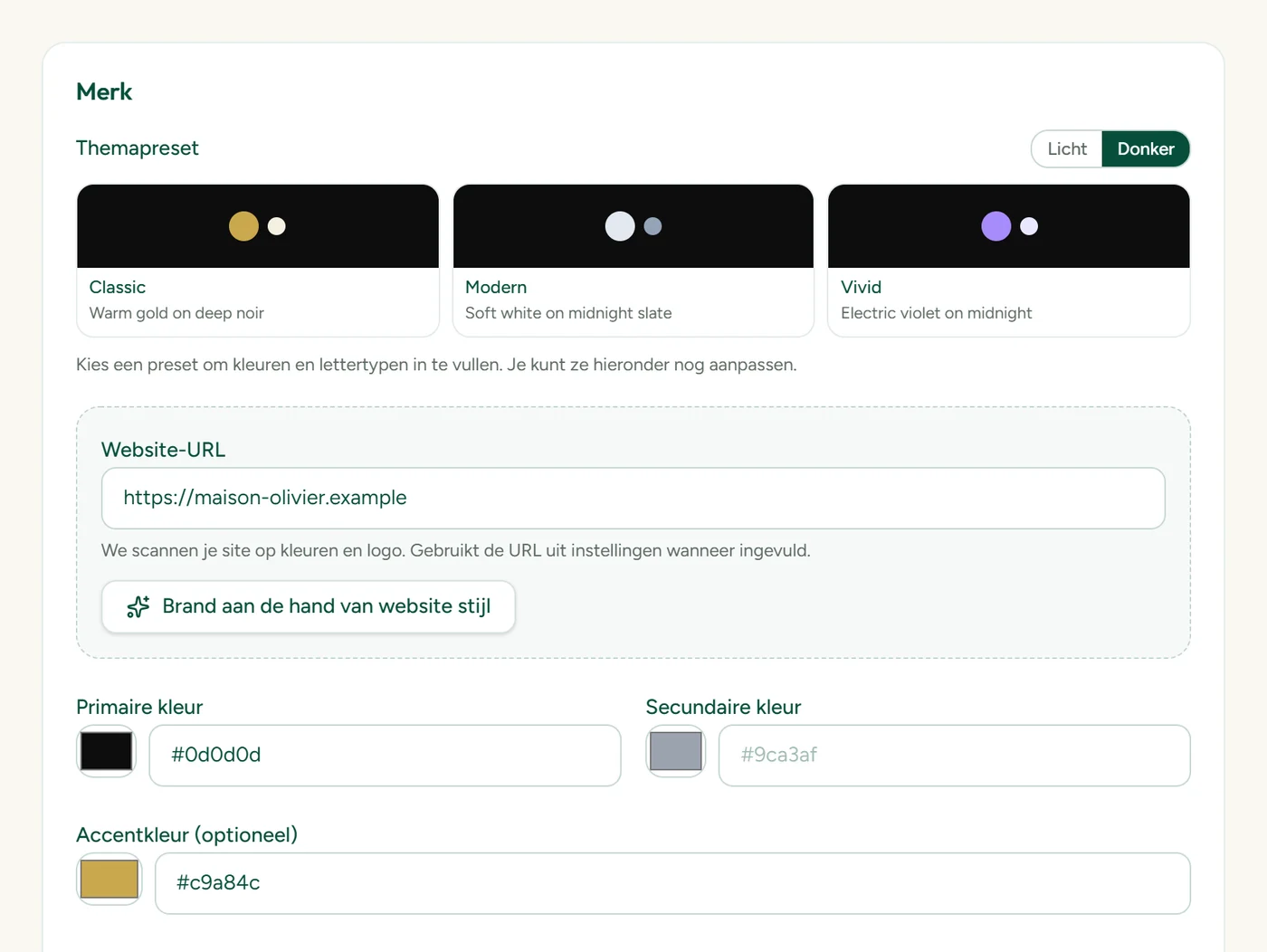
Je eigen branding
Kleuren, lettertypes, logo en teksten zoals op je site. De widget voelt native — niet als een derde partij.
Eenvoudige setup met AI-onboarding
Plak je website. AI haalt merk, openingstijden en menu op en vult alles vooraf in. Binnen minuten live.
Ervaringen & aanbetalingen
Verkoop proefmenu's, events en chef's tables. Aanbetaling per kaart om boekingen vast te zetten en no-shows te beperken.
Automatische bevestigingen & herinneringen
Bevestigings- en herinneringsmails in je eigen huisstijl gaan automatisch uit — minder no-shows, minder handwerk.
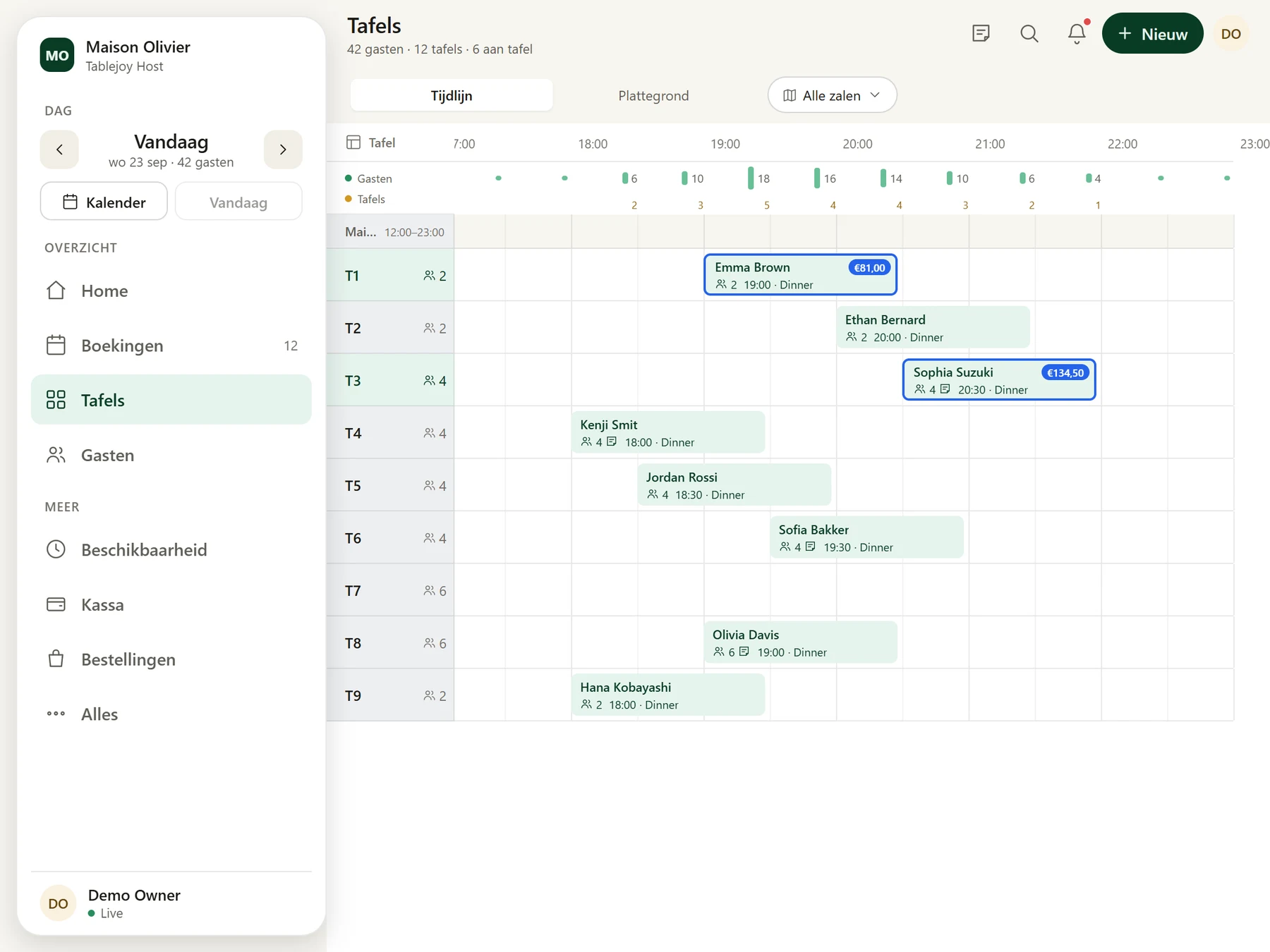
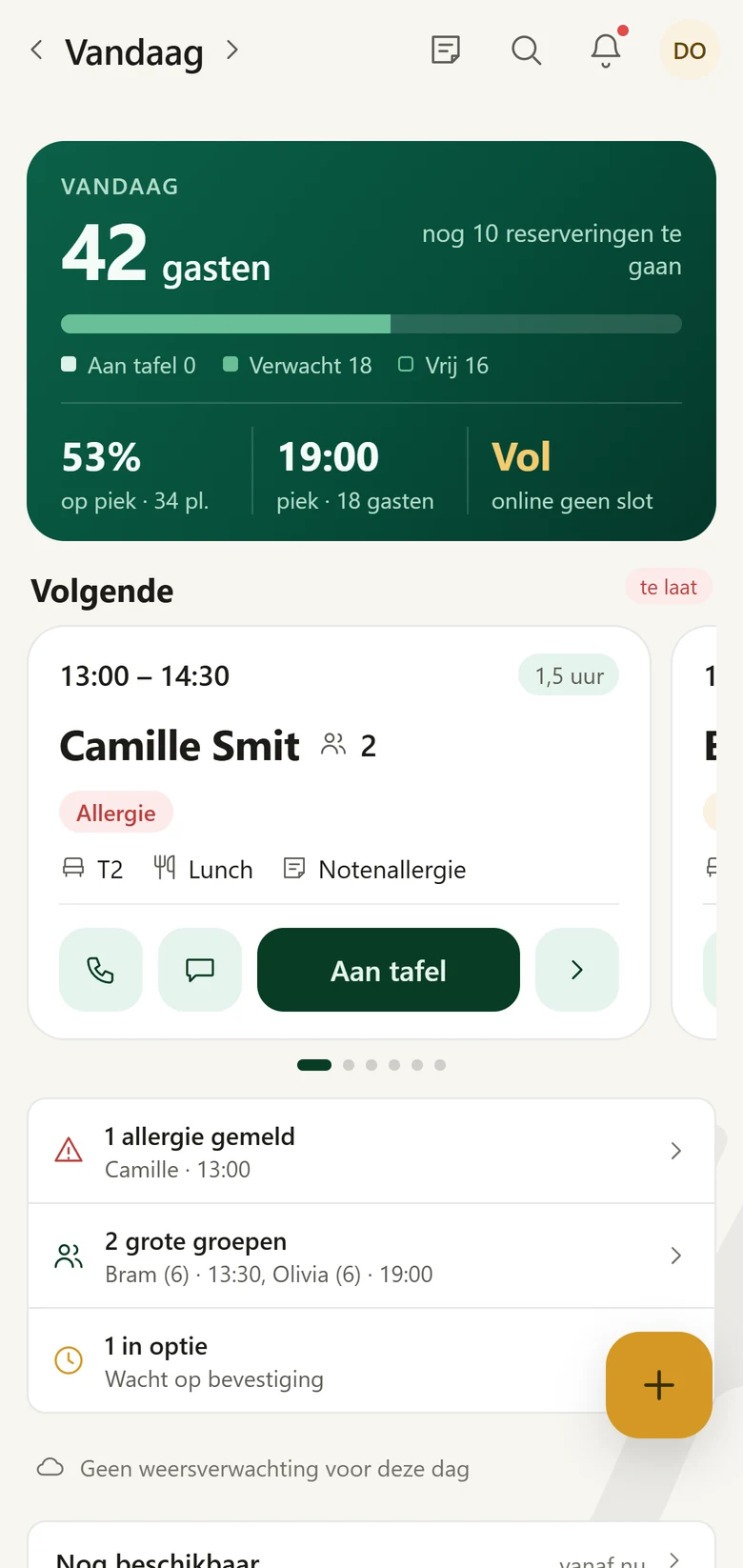
De hele service in één app
Tablejoy Host draait op iPhone, iPad en Android. Je team ziet wie er komt, wijst tafels toe en volgt de avond, waar ze ook staan.
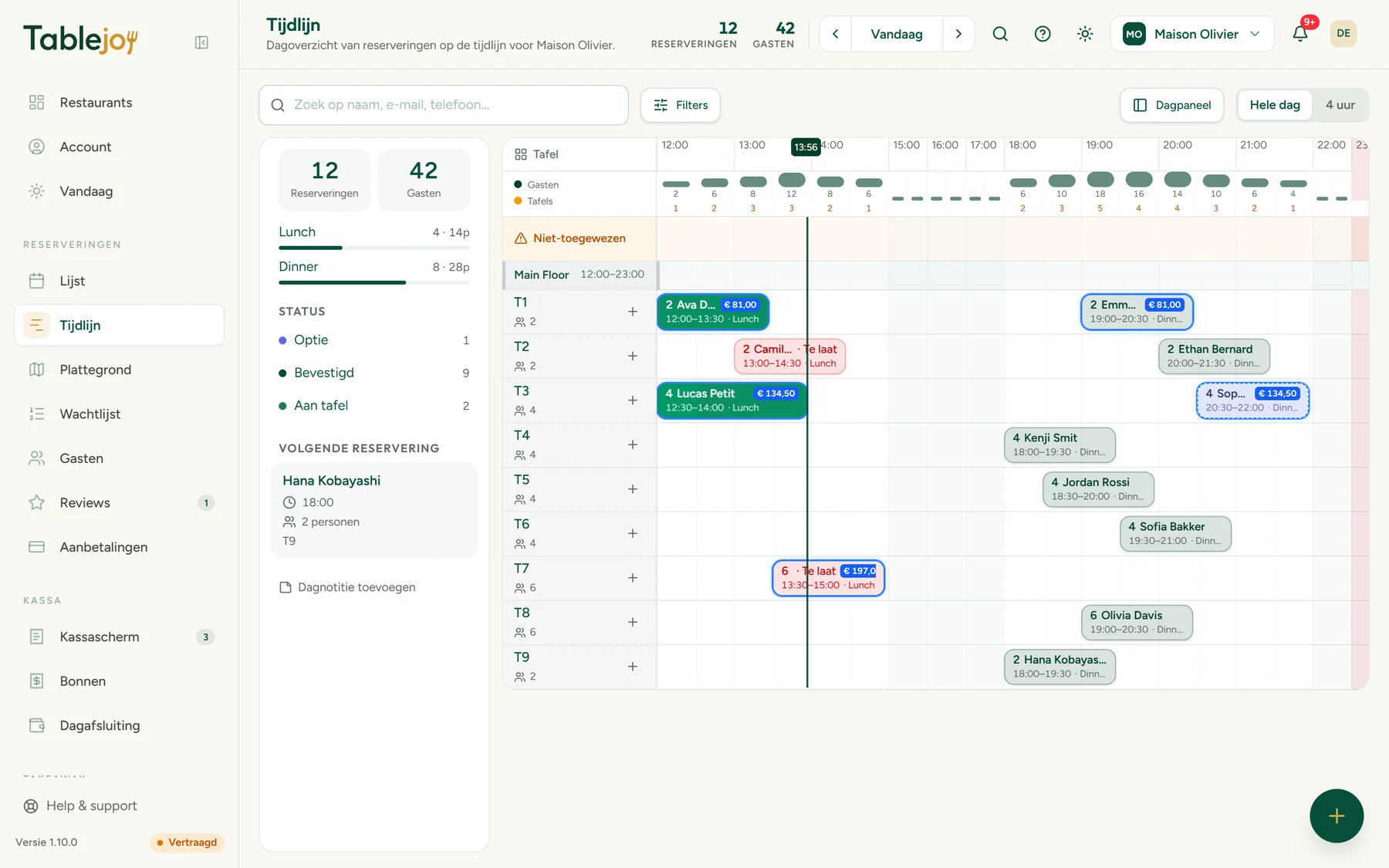
- Dagkaart met drukte, piekmoment en de volgende gasten
- Tijdlijn en plattegrond met slepen en neerzetten
- Gasten, reviews en WhatsApp binnen handbereik


Probeer het
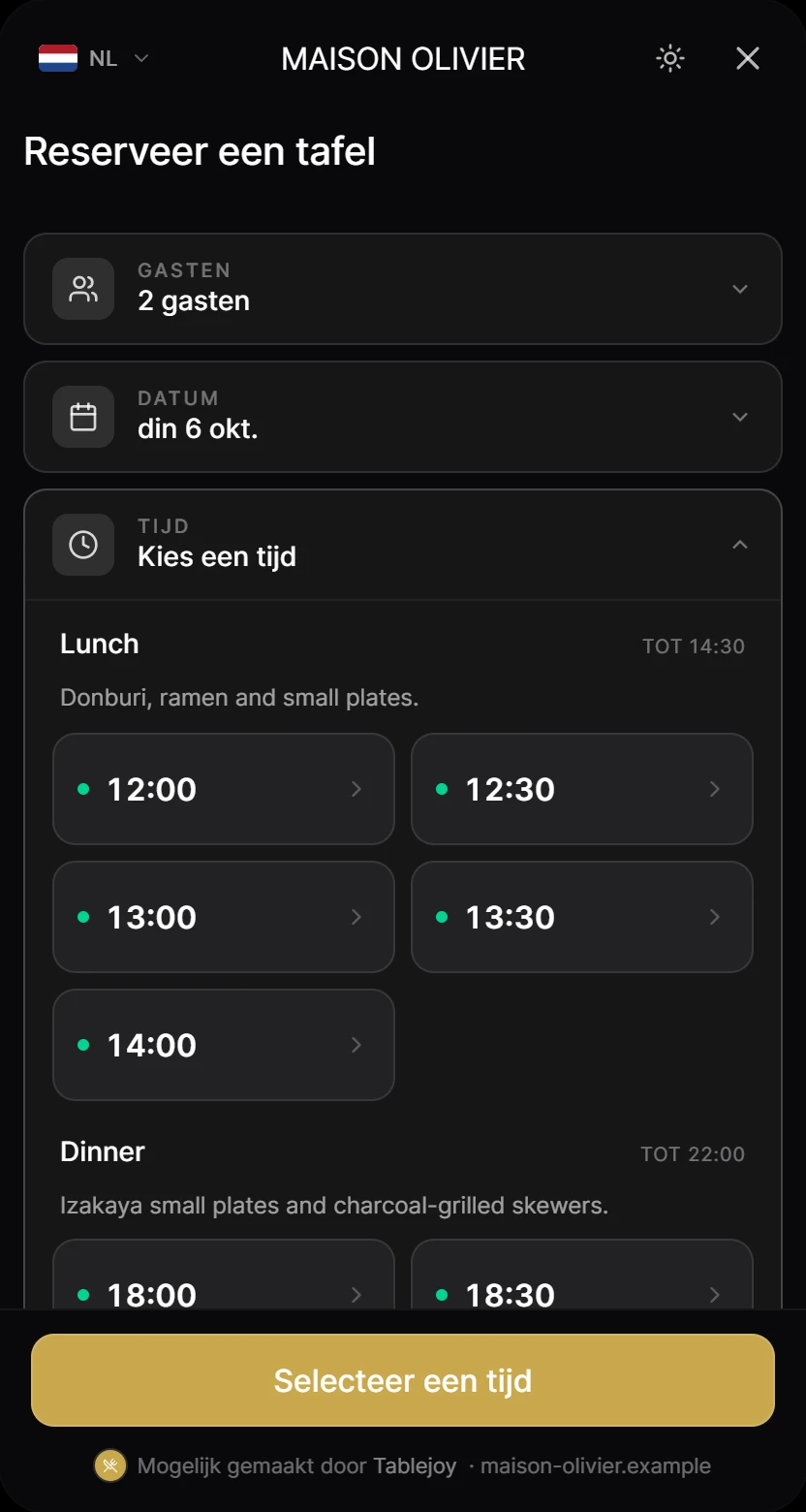
Een widget. Elk merk.
Klik op een thema en zie dezelfde widget in een andere huisstijl: de merkkleur en de lichte of donkere modus komen uit de eigen huisstijl van het restaurant.
Restaurants
In productie worden deze tokens automatisch uit de website van elk restaurant gehaald tijdens AI-onboarding.
Van een URL naar een live widget in enkele minuten.
Plak je URL
Voer je restaurantwebsite in en wij halen automatisch je huisstijl, fotos en gegevens op.
Vul gegevens & tafels in
Controleer de basis, verfijn je plattegrond en zet je tafels en services in een paar minuten op.
Embedden & live
Plak één snippet op je site en ontvang nog dezelfde dag reserveringen.
Prijzen
Eenvoudige plannen. Geen setup-kosten.
Elk abonnement bevat alle vier de modules — reserveren, online bestellen, keukenscherm en kassa. Wissel of zeg op wanneer je wilt.
Starter
Voor een restaurant dat wil starten.
Maandelijks gefactureerd
- 1 restaurant
- Alle modules: reserveren, bestellen, keuken & kassa
- 200 reserveringen & bestellingen / mnd
- 2 teamleden
- E-mailsupport
Pro
Voor groeiende zaken die meer controle nodig hebben.
Maandelijks gefactureerd
- Tot 3 restaurants
- Onbeperkt reserveringen & bestellingen
- 10 teamleden
- Webhooks & cadeaubonnen
- Prioriteitssupport
Group
Voor restaurantgroepen en hospitalitymerken.
- Onbeperkt aantal restaurants
- Multi-tenant admin & rollen
- Maatwerk-integraties
- Eigen success manager
Online bestellingen: € 0,35 platformfee per bestelling (excl. btw), automatisch verrekend. Volumelimieten zijn soft — niets stopt tijdens een drukke maand.
Vergelijk plannen
Wat is het verschil tussen de plannen.
| Functies | Starter | Populairst Pro | Group |
|---|---|---|---|
| Modules | |||
Reserveren | Inbegrepen | Inbegrepen | Inbegrepen |
Online bestellen | Inbegrepen | Inbegrepen | Inbegrepen |
Keukenscherm (KDS) | Inbegrepen | Inbegrepen | Inbegrepen |
Kassa Early access | Inbegrepen | Inbegrepen | Inbegrepen |
| Volume | |||
Restaurants | 1 | Tot 3 | Onbeperkt |
Reserveringen & bestellingen / mnd Soft cap — blijft altijd werken | 200 | Onbeperkt | Onbeperkt |
Teamleden | 2 | 10 | Onbeperkt |
| Widget | |||
Thema in je eigen huisstijl | Inbegrepen | Inbegrepen | Inbegrepen |
Licht & donker | Inbegrepen | Inbegrepen | Inbegrepen |
Custom CSS-overrides | Inbegrepen | Inbegrepen | Inbegrepen |
Meertalig | Inbegrepen | Inbegrepen | Inbegrepen |
| Operatie | |||
Capaciteitsregels & overrides | Inbegrepen | Inbegrepen | Inbegrepen |
Belevingen & aanbetalingen | Inbegrepen | Inbegrepen | Inbegrepen |
Multi-tenant admin & rollen | Niet inbegrepen | Niet inbegrepen | Inbegrepen |
| Integraties | |||
WordPress-plugin | Inbegrepen | Inbegrepen | Inbegrepen |
Webhooks | Niet inbegrepen | Inbegrepen | Inbegrepen |
Cadeaubonnen | Niet inbegrepen | Inbegrepen | Inbegrepen |
Maatwerk-integraties | Niet inbegrepen | Niet inbegrepen | Inbegrepen |
| Support | |||
E-mailsupport | Inbegrepen | Inbegrepen | Inbegrepen |
Prioriteitssupport | Niet inbegrepen | Inbegrepen | Inbegrepen |
Eigen success manager | Niet inbegrepen | Niet inbegrepen | Inbegrepen |
99,95% SLA | Niet inbegrepen | Niet inbegrepen | Inbegrepen |
Verhalen, updates en notities van het team.
Productnieuws, lanceringen en wat we leren bij het bouwen van reserveringen voor restaurants.
Teams die overstapten naar Tablejoy
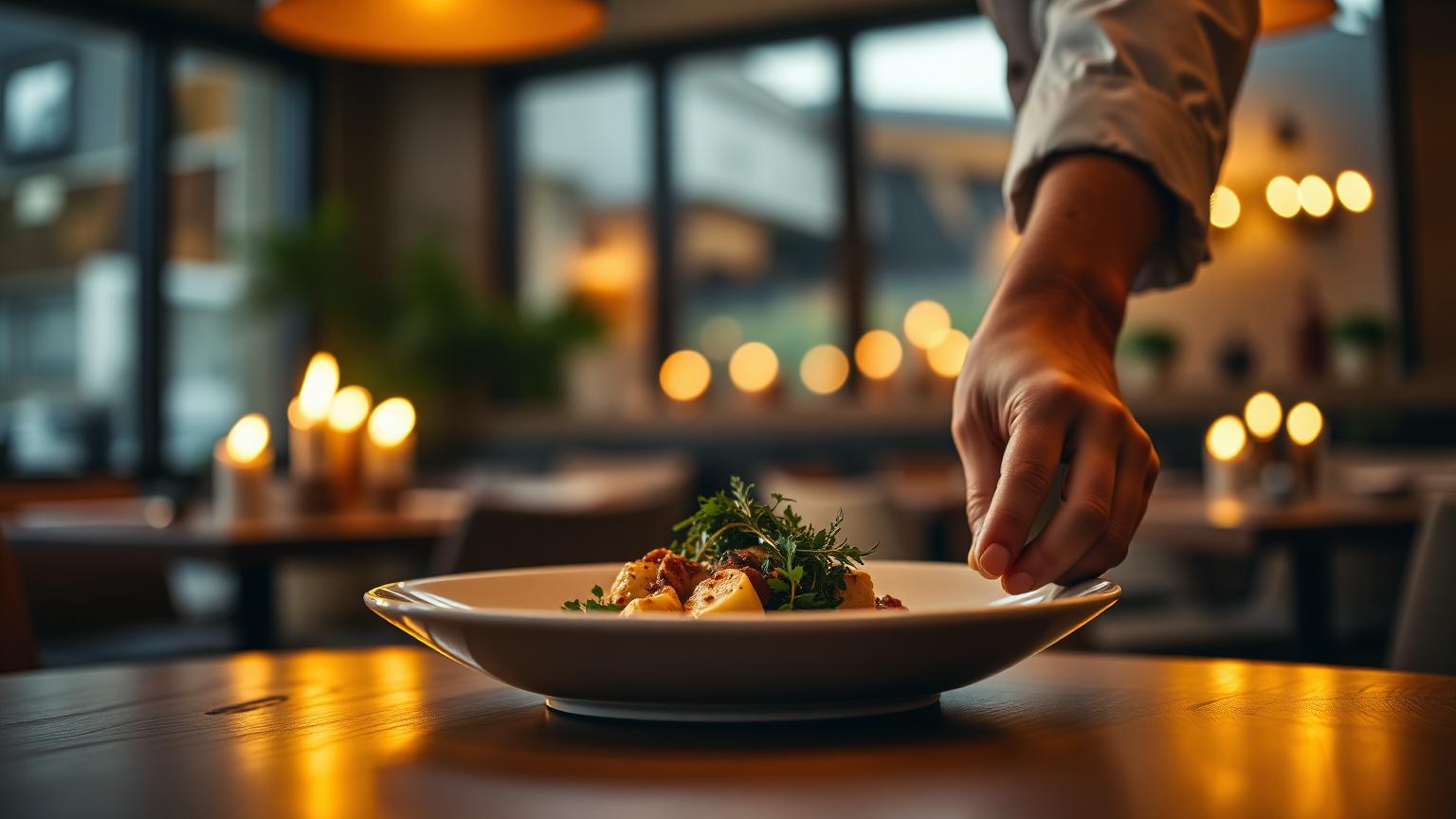
Van kaarslichtzalen tot drukke bistro's — de feedback is altijd dezelfde: het past gewoon.
“Gasten reserveren nu rechtstreeks via onze site. De widget past bij Mr Sam Sushi — geen generieke boekingspagina meer.”
“Jarenlang was ik fan van reserveren via een boek, maar ik moest echt met de tijd mee. De jongens van Tablejoy hebben me overgehaald en tot nu toe heb ik geen seconde spijt.”
“Sinds we een pannenkoekenhuis zijn, reserveren er veel meer groepen. Zo blij dat dat met Tablejoy kan.”
Vertrouwd door onafhankelijke restaurants en kleine groepen
Veelgestelde vragen
De vragen die restaurants ons het vaakst stellen voordat ze overstappen.
- Wat kost Tablejoy?
- Starter kost € 49,50 per maand en Pro € 109,50 per maand. Elk abonnement bevat alle modules: reserveren, online bestellen, keukenscherm en kassa. Voor restaurantgroepen maken we een prijs op maat. Je probeert alles eerst 30 dagen gratis.
- Betaal ik commissie op reserveringen of bestellingen?
- Op reserveringen niet. Voor online bestellingen betaal je een vaste platformfee van € 0,35 per bestelling (excl. btw), geen percentage van het orderbedrag.
- Hoe lang duurt de setup?
- Meestal een middag. Plak de URL van je restaurant in het portaal: de scanner haalt je kleuren, logo, openingstijden en foto's op. Daarna zet je je tafels en diensten klaar en plaats je de widget op je site.
- Werkt Tablejoy op mijn telefoon en iPad?
- Ja. Met de Tablejoy Host-app voor iPhone, iPad en Android beheer je reserveringen, tafels en gasten tijdens de service. Het portaal werkt in elke browser.
- Past de widget bij mijn huisstijl?
- Ja. De widget neemt de kleur van je merk over en werkt in een lichte of donkere versie, zodat hij op je eigen site thuishoort. Je past alles aan in het portaal.
- Kan ik maandelijks opzeggen?
- Ja. Je wisselt van abonnement of zegt op wanneer je wilt, zonder opstartkosten.
Klaar om het op je eigen site te zien?
Probeer de admin, scan een willekeurige restaurant-URL en zie de widget zich in real time themen.