25 mei 2026 · 2 min leestijd · Tablejoy Team
Eén merk, meerdere restaurants — maak kennis met Tablejoy Groepen
Met groepen beheer je meerdere restaurants onder één paraplu: één team, één plek om tussen locaties te wisselen, en een publieke landingspagina die ze aan elkaar verbindt.

Als je meer dan één restaurant runt, ken je de naden. Aparte logins per locatie. Merkkeuzes die je twee keer maakt. Een gast mailt de verkeerde inbox omdat ze niet weten dat de twee zaken dezelfde eigenaar hebben. De operatie wordt zwaarder met elke deur die je opent — terwijl het meeste werk hetzelfde is.
We bouwden Tablejoy Groepen zodat meer locaties méér hefboom betekent, niet meer tabbladen.
Een groep is een echt ding, geen mapje
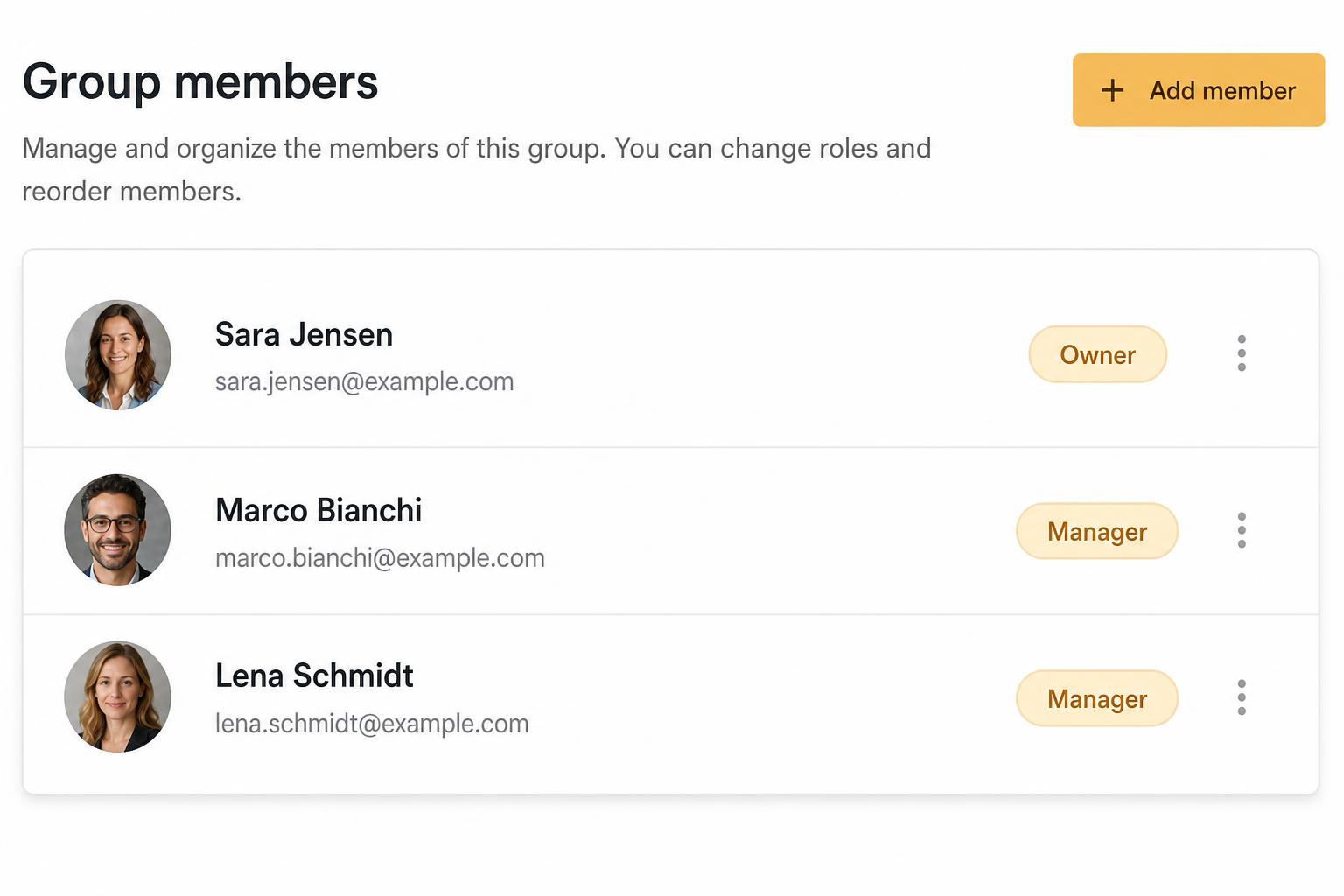
Een groep bundelt restaurants onder een gedeelde eigenaar en een gedeeld team. Vanuit het portal wissel je in één klik tussen locaties; iedereen met toegang tot de groep krijgt automatisch toegang tot de restaurants daarbinnen, met de rol die je per persoon instelt.
Een publieke landingspagina, van het huis
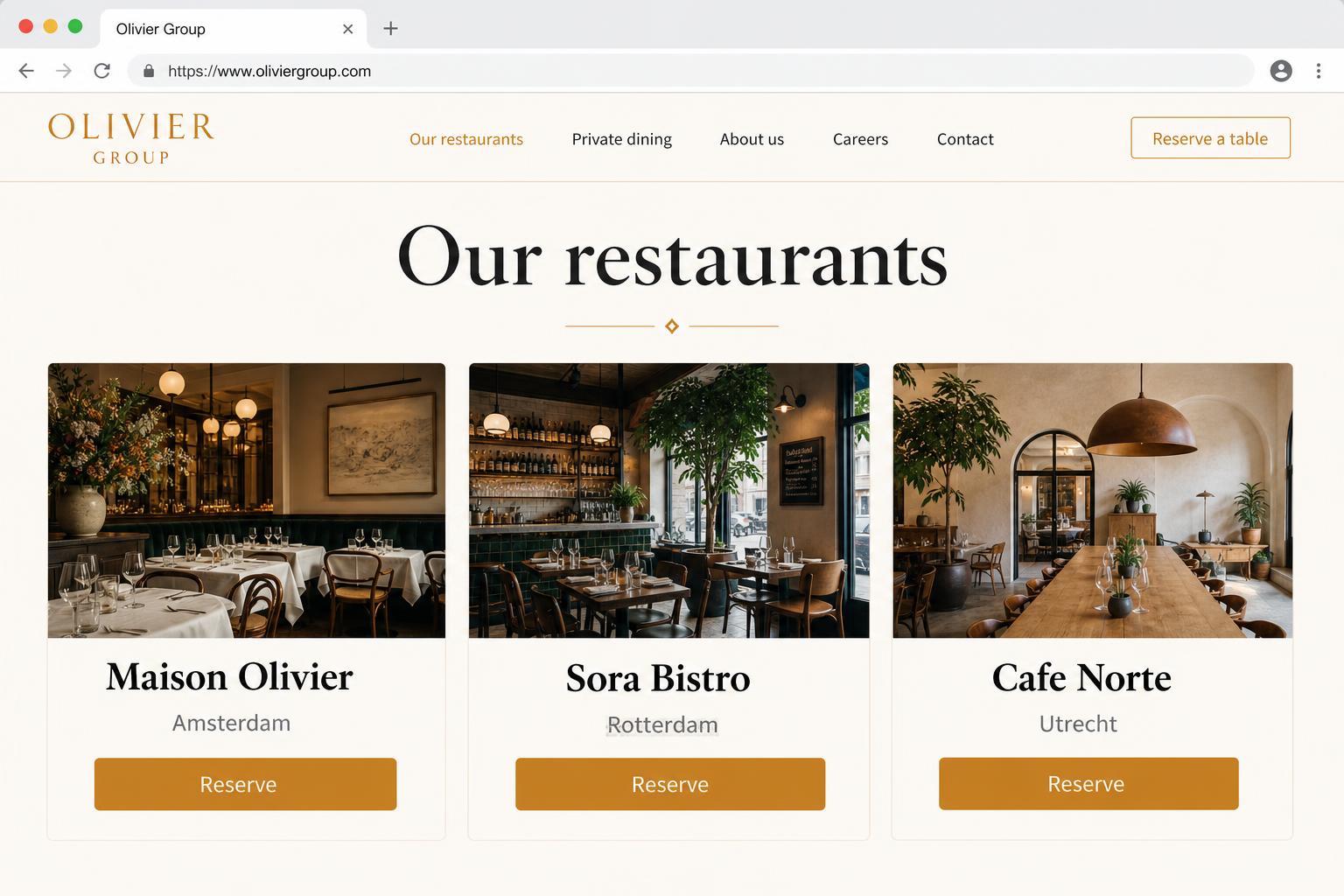
Elke groep krijgt een publieke pagina die het merk introduceert en alle restaurants opsomt. Gasten die op de groepspagina landen kiezen de locatie die ze willen en stappen direct in de boeking — via dezelfde Tablejoy-widget die je team al beheert.
Gedeeld merk, lokale controle
Groepen platwalsen je restaurants niet. Elke locatie houdt zijn eigen plattegrond, capaciteitsregels, services, menu, aanbetalingen en notificaties. De groepslaag voegt toe wat écht gedeeld hoort te zijn — team, facturatie, merkdefaults — en blijft uit de weg voor de rest.
Wat komt er nog
Op de roadmap voor groepen: rapportage over locaties heen (één dashboard voor het hele merk), gedeelde gast-CRM zodat een VIP bij locatie A herkend wordt bij locatie B, en groepsbrede cadeaubonnen en aanbetalingen. Run je vandaag een kleine groep en klinkt iets daarvan nuttig? Laat het weten.
Open het portal, ga naar het tabblad Group, en je vindt het klaar staan.